
Did you know a well-designed home can boost its value by up to 10%? With more people renovating and decorating their homes, having the right tools is key. Choosing the right interior design tool can make all the difference in bringing your ideas to life.
Finding the perfect software without spending a lot can be tough. That’s why we’re excited to share our top picks for free interior design software today.
Whether you’re an experienced designer or just starting out, our guide has you covered. We’ll show you the best tools to help you reach your design goals. We’ll dive into each software’s features and benefits, helping you make the right choice.
Key Takeaways
- Top free design tools for home renovation
- Key features to look for in design software
- Tips for choosing the best software for your needs
- Benefits of using design software for your home
- How to get started with your chosen software
Understanding Free Interior Design Software
Exploring interior design means knowing the right tools. Interior design software helps turn ideas into reality. It makes creating, visualizing, and changing designs easy.
What is Interior Design Software?
Interior design software helps plan and see interior spaces. It has tools for making detailed designs, from simple floor plans to complex 3D models. Easy-to-use design software is great for beginners. It lets them try out different designs without needing to be experts.
Benefits of Using Free Software
Free interior design software saves money. It lets users try out designs without spending a lot. Free software also lets you try tools before buying a paid version. This is good for beginners who want to learn the software.
Common Features to Look For
When picking interior design software, look for certain features. Drag-and-drop functionality makes designing easier. 3D visualization shows designs in a real way. Customizable templates help start projects. Free 3D modeling software often has these, helping users make designs look professional.
Top Free Interior Design Software Options
Looking to design your home without spending a lot? There are many free interior design software options available. These tools have great features to help you reach your design goals.
SketchUp Free
SketchUp Free is a favorite among designers and homeowners. It has a simple interface and a huge library of models. It’s great for creating 3D models, so you can see your designs come to life.
Roomstyler
Roomstyler lets you make 2D and 3D floor plans. It’s easy to use and has lots of furniture and decor options. It’s perfect for getting a real feel of your design.
Planner 5D
Planner 5D is great for both newbies and pros. It has cool features like 3D visualization and detailed floor plans. Its easy-to-use interface makes it simple, even for those new to design.
Each software has its own strengths and can help with different design needs. Whether you want to change one room or your whole house, these tools can make your vision real.
User-Friendly Features in Design Software
The success of design software depends on its user-friendly features. It’s important to pick a program with an easy-to-use interface. This lets users focus on their creativity without getting lost in complex tools.
Drag-and-Drop Functionality is a favorite among designers. It makes adding furniture and decorations to designs simple. Just drag and drop them into place. This feature makes design easier for everyone, no matter their skill level.
Drag-and-Drop Functionality
Drag-and-drop is a key feature of easy-to-use design software. It removes the need for complicated coding. Users can interact with their designs naturally. This way, they can quickly try out different layouts, boosting creativity and efficiency.
- Simplifies the design process
- Reduces the learning curve for new users
- Enhances creativity by allowing quick experimentation
3D Visualization Capabilities
3D Visualization Capabilities are also crucial. Seeing designs in 3D helps users understand how elements fit together. This is very important in interior decorating software, as it lets users see how their designs will look in real life.
3D visualization helps with choosing colors, furniture sizes, and materials. By seeing designs from different angles, users can spot problems and make changes before they finalize their plans.
Customizable Templates
Customizable Templates are a great starting point for designs. They offer pre-made layouts that can be customized to fit individual tastes. This is very helpful for beginners or those who need inspiration.
- Provides a starting point for designs
- Allows for personalization to fit unique styles
- Saves time by reducing the need to create layouts from scratch
In conclusion, features like drag-and-drop, 3D visualization, and customizable templates are key in interior design software. These features make software powerful and easy to use, appealing to a wide range of users.
Designing Your Space with Floor Plans
Floor planning is key in any interior design project. It gives you a clear plan for your space. With free room planning software, you can make a detailed layout. This helps you see and carry out your design ideas well.
Importance of Floor Planning
Floor planning is essential. It lets you know the size and layout of your space. This knowledge is crucial for choosing where to put furniture and how rooms flow. As interior design experts say, a well-planned floor plan is vital for a successful design.
“A good floor plan is like a roadmap to your dream home; it guides you through the design process, ensuring that every element works harmoniously together.”
Tools for Creating Accurate Layouts
To make an accurate floor plan, you need the right tools. Interior design software for beginners has features like drag-and-drop and 3D views. This makes designing your space easier. Some top tools include:
- SketchUp Free: Known for its easy-to-use interface and strong features.
- Roomstyler: Has a huge library of furniture and decor items.
- Planner 5D: Offers advanced features for detailed floor plans.
Using these tools, you can make a detailed and accurate floor plan. This plan is the base for your interior design project. As we go deeper, you’ll see how these tools help in your design process for the best results.
Integrating Color and Materials
Color and materials are key in interior design. The right online interior design tools help you pick the best options. They make your space look better, feel more welcoming, and work better.
Selecting Color Palettes
Choosing the right color palette is key. Interior decorating software lets you try out different colors. You can see how they look together and with various materials.
Think about the mood and lighting in your space. Cool colors like blues and greens can calm you down. Warm colors like oranges and reds can energize you. Use your design software to see how different palettes will look in your space.
Virtual Material Libraries
Virtual material libraries are a big deal in interior design software. They let you explore many materials, like wood, stone, fabrics, and metals. You can apply these to your design, like furniture and flooring, to see how they fit.
These libraries help you choose materials wisely. They make sure they match your design and needs. They also prevent costly mistakes by letting you see how materials work together before buying.
Tips for Using Free Software Effectively
To get the most out of free interior design software, you need a smart plan. It’s key to know what it can do and what it can’t.
With a few tips, you can improve your design skills and get results that look like they were done by a pro. We’ll show you how to start with tutorials and try out various designs to boost your creativity.
Getting Started with Tutorials
Using the tutorials is a great way to begin with free interior design software. These guides walk you through the software’s features. They help you learn how to use them in real design projects.
Tutorial Benefits:
- Step-by-step instructions on using the software
- Tips for overcoming common design challenges
- Insights into the software’s advanced features
By finishing these tutorials, you’ll learn the basics of the software. This will prepare you for your design projects.
Experimenting with Different Designs
Trying out different designs is a big part of the design process. Free interior design software lets you play with layouts, colors, and materials without spending a lot.
Key Experimentation Strategies:
- Start with a simple design and gradually add complexity
- Try out different styles and themes to find what works best for your space
- Use the software’s undo feature to freely experiment without fear of making mistakes
To show what free interior design software can do, let’s look at some popular choices.
| Software | Key Features | User Interface |
|---|---|---|
| SketchUp Free | 3D modeling, extensive library | Intuitive, easy to navigate |
| Roomstyler | Drag-and-drop, 3D visualization | User-friendly, modern design |
| Planner 5D | Floor planning, furniture catalog | Simple, straightforward |
Knowing what each software is good at helps you choose the right one for your design needs.
Collaborating With Others
Working together is crucial in interior design. It lets us share ideas and get feedback. This teamwork helps us spot problems and make our designs better.
Sharing Designs with Friends and Family
Using online interior design tools makes it easy to share our designs. We can get feedback from people we trust. This helps us make our designs even better. Many interior design software for beginners lets us share our designs easily.
It’s important to listen to the feedback we get. We should look for common themes or suggestions. This way, we can make a space that really meets our needs.
Seeking Feedback on Your Projects
Getting feedback is a key part of designing. Asking others for their thoughts can give us new ideas. This is really helpful when using interior design software for beginners.
To get the best feedback, we should be clear about what we want. We can ask specific questions, like “What do you think of the color palette?” or “Do you have any suggestions for improving the layout?” This way, we can make better decisions about our design.
Organizing Your Design Projects
Staying organized is key to successfully completing your design projects. With easy-to-use design software, having a system for managing your work is crucial. It can greatly improve your productivity and success.
Project Management Tools in Software
Many free 3D modeling software and easy-to-use design software options have project management tools. These tools help you track design versions, work with others, and manage project components.
Some common project management features include:
- Version control: Allows you to track changes and revert to previous versions if needed.
- Collaboration tools: Enable multiple users to work on a project simultaneously.
- File organization: Helps you keep your design files and related assets organized.
Keeping Track of Ideas and Inspirations
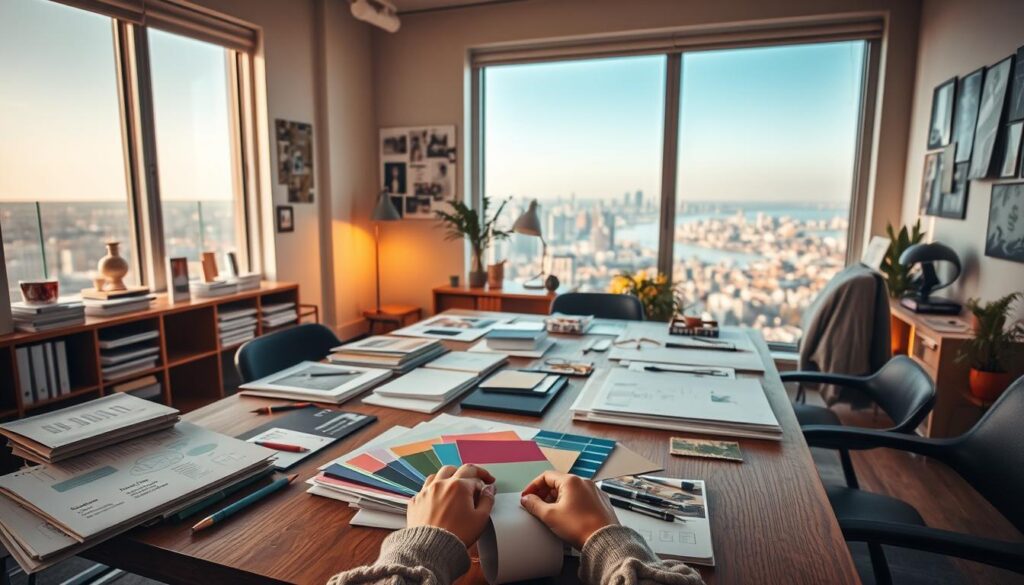
Keeping track of your ideas and inspirations is crucial for your design projects. Creating a mood board or a collection of images, colors, and textures can guide your design decisions.
Some design software allows you to:
- Create mood boards directly within the application.
- Upload and organize images and other reference materials.
- Note-taking features to jot down ideas and inspirations.
| Feature | Description | Benefit |
|---|---|---|
| Version Control | Tracks changes in your design | Allows you to revert to previous versions |
| Mood Boards | Collection of inspiring images and colors | Guides your design decisions |
| Collaboration Tools | Enables multiple users to work together | Enhances teamwork and feedback |
By using project management tools in your design software and tracking your ideas, you can ensure your projects are well-organized and successful.
Navigating Advanced Features
Now that we’ve got the basics down, let’s dive into the advanced features of top free design tools. These features can really change how we use interior decorating software. They help us bring our ideas to life in new and exciting ways.
Exploring Virtual Reality Options
Virtual reality (VR) is changing how we design and interact with spaces. It lets us step into a virtual world and see our designs in 3D. This makes it easier to understand the layout and flow of our designs.
Benefits of VR in Design:
- Enhanced spatial understanding
- Improved client presentations
- Increased design accuracy
Some top free design tools have VR capabilities. This lets us explore our designs in a more fun and interactive way.
Using Augmented Reality in Design
Augmented reality (AR) is also transforming interior design. It overlays digital info onto the real world. This lets us see how our designs would look in the actual space.
Key Applications of AR:
| Application | Description |
|---|---|
| Virtual Staging | See how furniture and decor would look in a space without physically moving it. |
| Design Visualization | Visualize different design options in real-time, making it easier to decide on finishes and materials. |
| Client Presentations | Use AR to show clients how the final design will look, enhancing communication and understanding. |
AR technology helps us make better design choices. It improves the design process overall.
Case Studies of Successful Designs
Let’s look at real examples of designers using free interior design software to get amazing results. These case studies help us understand how to use these tools well. They show us how to make spaces that are both beautiful and functional.
Seeing how online interior design tools work in real life is very helpful. Designers have used SketchUp Free and Roomstyler to make their ideas come true.
Real-World Examples of Software in Use
A designer used Planner 5D to redo a small living room. The software’s 3D view let them try out different layouts. They found the best way to use the space.
A homeowner used Roomstyler for a kitchen makeover. The software’s easy drag-and-drop feature and big material library helped them make a detailed design. This design helped guide the renovation.
Learning from Other Designers’ Projects
Studying successful designs teaches us a lot about free interior design software. Many designers say it’s key to start with a clear floor plan. Then, they use the software to try out different designs.
Designers also talk about the importance of sharing designs with clients. Using the software’s collaboration tools helps get feedback. This makes the design process smoother and ensures the final design meets the client’s wishes.
By looking at these case studies and learning from other designers, we can get better at designing. We can make more effective and beautiful spaces with free interior design software.
Staying Current with Trends
Interior design is always changing. It’s key to keep up with new trends and software updates. This helps designers make spaces that look great and work well.
Following Design Blogs and Influencers
Following design blogs and influencers is a great way to stay in the loop. They share the latest trends, must-have materials, and new styles. For example, Apartment Therapy and Design Milk are great sources.
Designers can also find inspiration on Instagram and Pinterest. Following influencers there keeps them up-to-date with trends.
“The key to staying ahead in interior design is to continuously educate yourself on the latest trends and technologies.”
Updates and New Features in Software
Software updates add new features that can really help designers. For instance, many programs now have augmented reality (AR) features. This lets clients see designs in their own space.
To keep up with software updates, designers should:
- Check the software’s blog or news section regularly.
- Attend webinars or online workshops.
- Join design communities or forums to share experiences with new features.
| Software | Latest Update | New Features |
|---|---|---|
| SketchUp Free | Version 22.0 | Enhanced AR capabilities, new texture library |
| Roomstyler | Version 3.5 | Improved 3D rendering, new furniture catalog |
| Planner 5D | Version 4.2 | Advanced floor planning tools, new material options |
By keeping up with these updates and trends, designers can use the latest tools. This helps them deliver top-notch results.
Resources for Further Learning
Exploring interior design is exciting. It’s important to keep up with new trends and techniques. Using free room planning software and easy-to-use design software can really boost our skills.
Enhance Your Skills with Online Courses
Online courses and webinars are great for learning from experts. Sites like Udemy, Coursera, and Skillshare have lots of interior design courses. They help us get better at using design software and keep up with the latest in the field.
Engage with Design Communities
Being part of design communities and forums is a smart move. It lets us connect with other designers, share ideas, and learn from their stories. Places like Reddit’s r/InteriorDesign and Houzz are full of useful resources and support for designers.